
Track using noforeignland
You don’t need expensive hardware to track your boat. In this page we explain the different options for tracking your boat for free using noforeignland.
Record your track using our app
Section titled “Record your track using our app”The noforeignland app uses your phone’s GPS receiver to record a highly-detailed track:
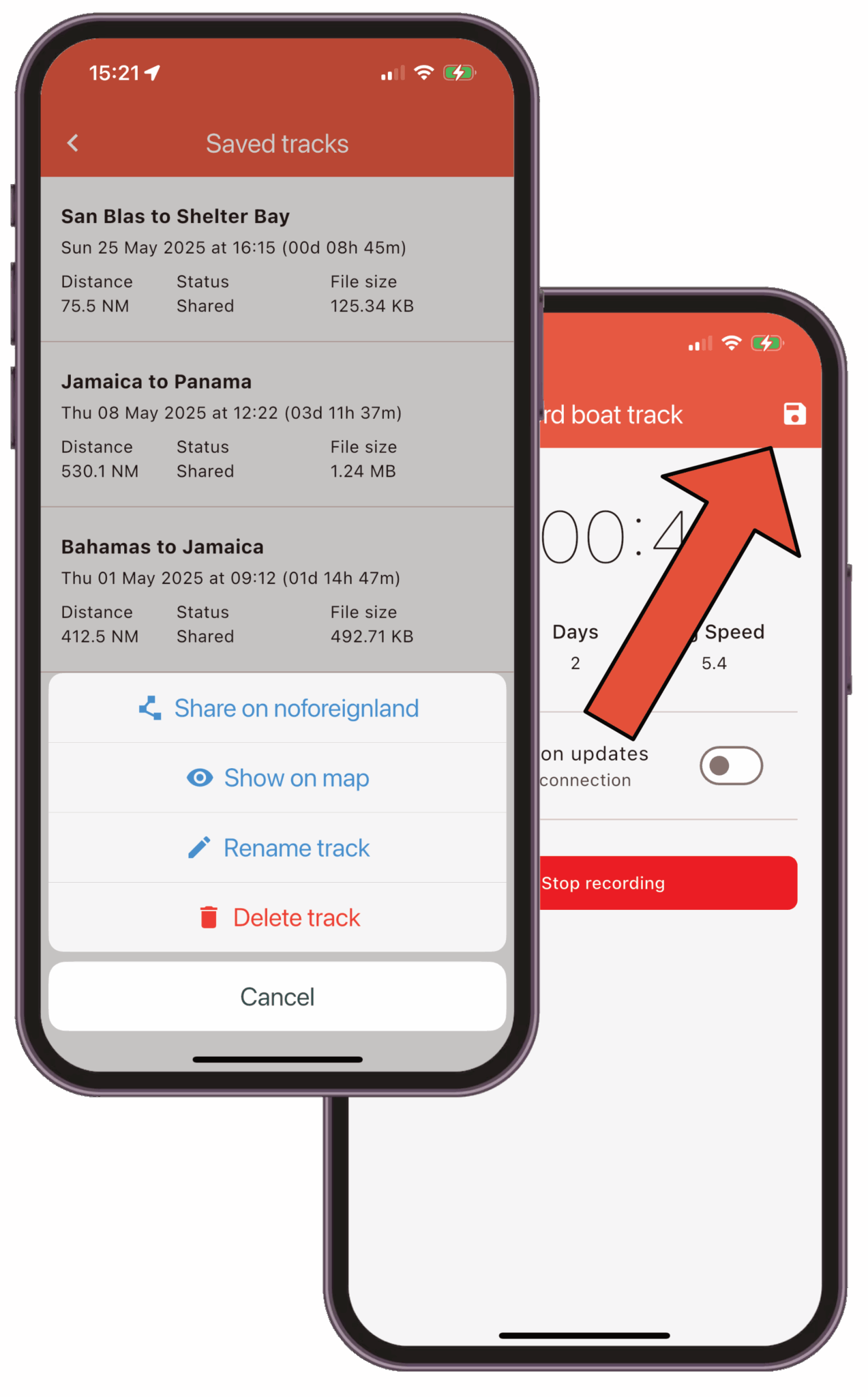
Before you set sail, be sure to start recording. When you arrive, press the stop button and share your track on the map. You can also turn on live updates to periodically upload your track while you are underway.
See this article for detailed instructions:
Manually move your boat
Section titled “Manually move your boat”A quick, simple way to move your boat.
- Tap on the red My Boat button at the bottom of the screen.
- Choose the Move my boat option.
Select either Use GPS location or Select location manually.
If you selected manually, then drag the map to the desired location.
If you selected GPS, the map will move to your current location.
- Tap on Confirm your boat position to move your boat.
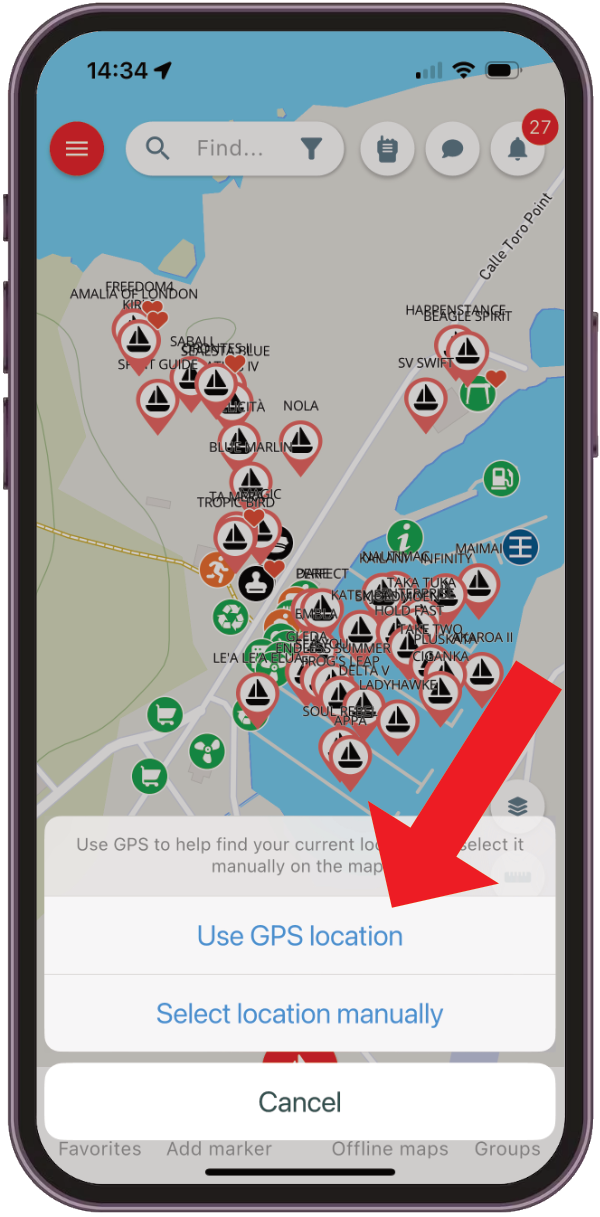
These instructions are for our app, but you can also manually move your boat on our website.
Check-in to a place
Section titled “Check-in to a place”Whenever you see a Check in button on a place details page, you can tap it to quickly move your boat there.