
Community Posts
What is a community post?
Section titled “What is a community post?”Community posts allow you to reach out to other boaters near you by pinning a short-lived group chat bubble on the map:
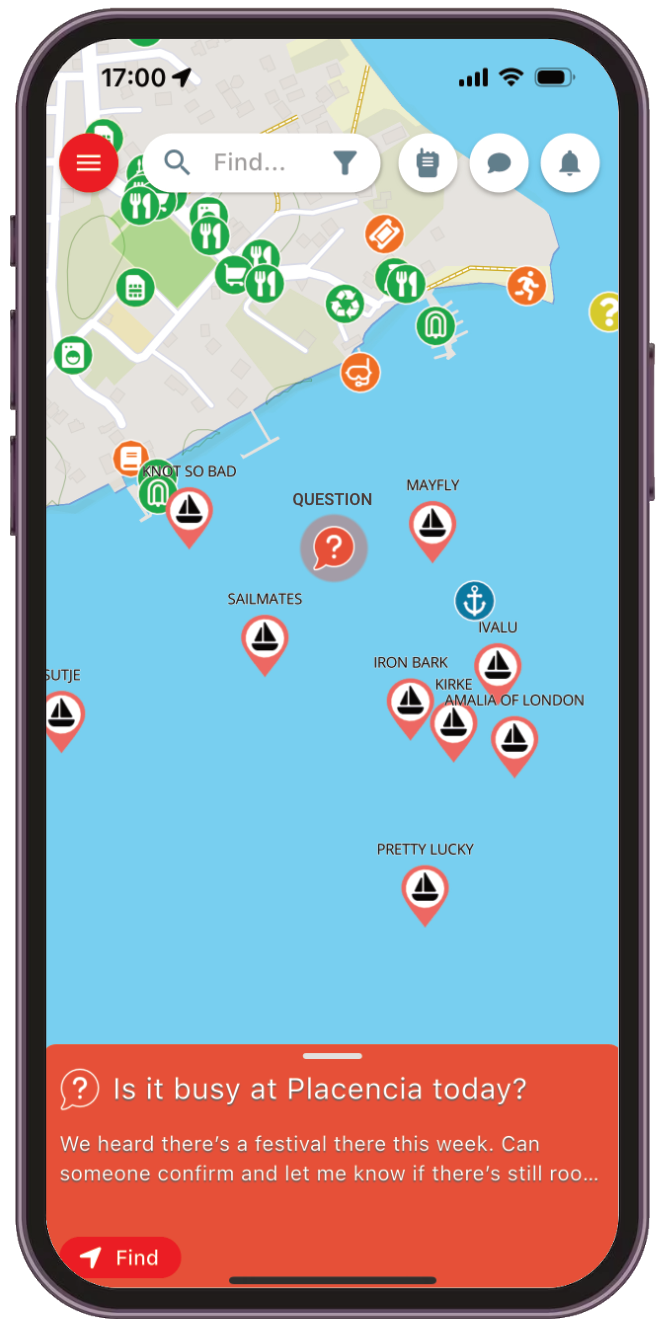
Opening the page reveals the group chat area:
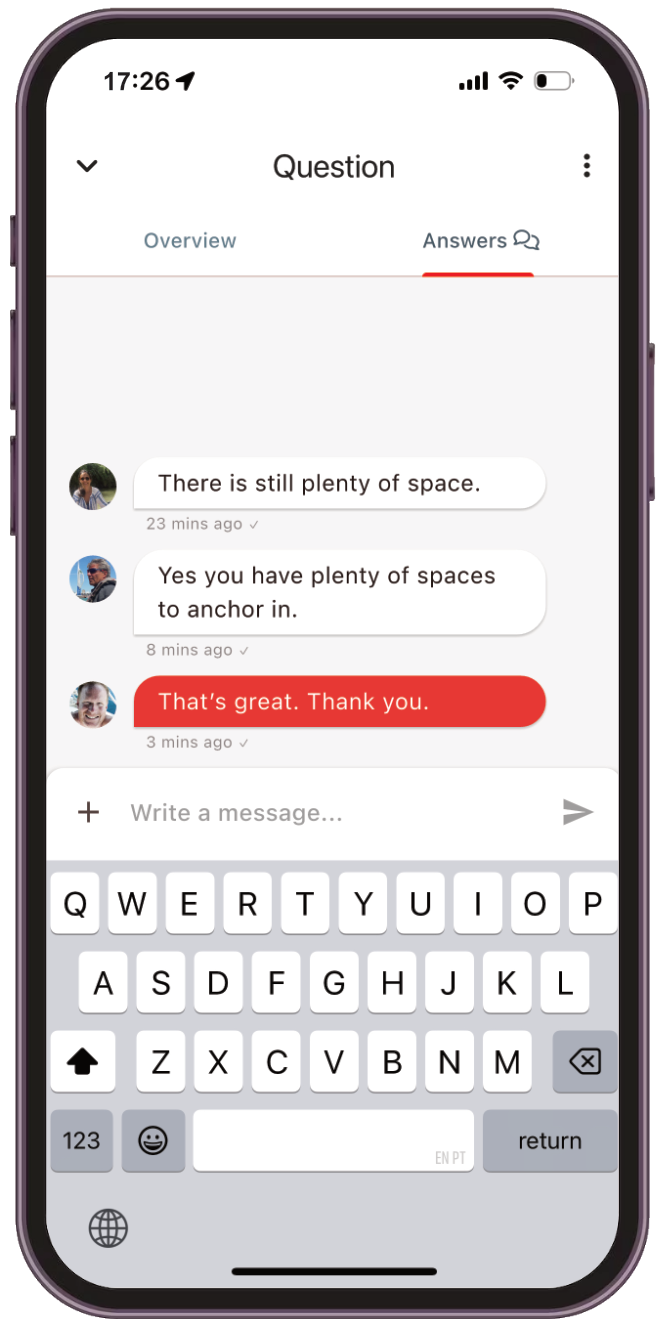
What can I post?
Section titled “What can I post?”You can post:
- A temporary warning
- A question (as shown above)
- An event
- A crew available / wanted request

To prevent clutter, community posts are automatically deleted when they expire.
Adding a community post
Section titled “Adding a community post”To add a new post on the map:
Click on the Add Marker button on the toolbar below the map
Choose the Add a new community post marker option
Drag the map to position the community post marker
Complete the form
Select the type of post and completing the required sections
When you’re done, press the Add button to add your post to the map.
Find out more
Section titled “Find out more”More details and examples can be found in this blog article: