Fixing tracking errors
Why do errors occur?
Section titled “Why do errors occur?”Noforeignland has a robust & battle-proven GPS tracking framework that integrates with many external tracking systems. However, you may still sometimes find errors in your boat’s track. What can cause this to happen?
GPS data errors
Section titled “GPS data errors”Our tracking framework can only show the data it is given, it cannot determine whether the tracks you send us contain errors; therefore, any errors you submit will be shown on your track.
Incorrect timestamps - When crossing time zones or sailing around midnight near an equinox, your GPS device should keep a consistent series of timestamps. Most handle time changes correctly, but some don’t — causing your track to appear as if the boat suddenly jumps forward or back by an hour. Another issue occurs when certain GPS units output invalid timestamps on startup. If they are recorded (looking at you, OpenCPN) and later uploaded to our server, they can produce a point far away from your real position — a “wild” spike on your track.
Invalid position points - GPS is extremely reliable, but not infallible. Nearby military exercises can block GPS signals, and local magnetic anomalies can cause positions to be misplaced. We recently saw several boats on an Atlantic crossing all report errors, only to discover that a solar storm had disrupted the GPS systems in that region.
Multiple tracking sources
Section titled “Multiple tracking sources”If you are using multiple ways to record your track then errors can occur. Different tracking systems provide different data (of varying quality) that our service needs to merge. If there are conflicts in the data received, you may see glitches in your track.
Position forwarding failures
Section titled “Position forwarding failures”If you are using a service that forwards positions to our servers you may, on rare occasions, find that your boat continues to update its position on their map but you don’t see it move on noforeignland, This is almost always a fault on their part and you should contact them to check that your position is being forwarded to us.
Unrealistic expectations
Section titled “Unrealistic expectations”If you are submitting one position fix every hour, or manually moving your boat when you arrive in a new anchorage, then your track will inevitably cross land at some point. This is not an error, but a limitation of what we can do with the data provided.
If you want an accurate track that follows your boat then you should consider using our app, or another GPS based service, to record your track.
How your track is built
Section titled “How your track is built”Understanding how your track is built will help you fix errors.
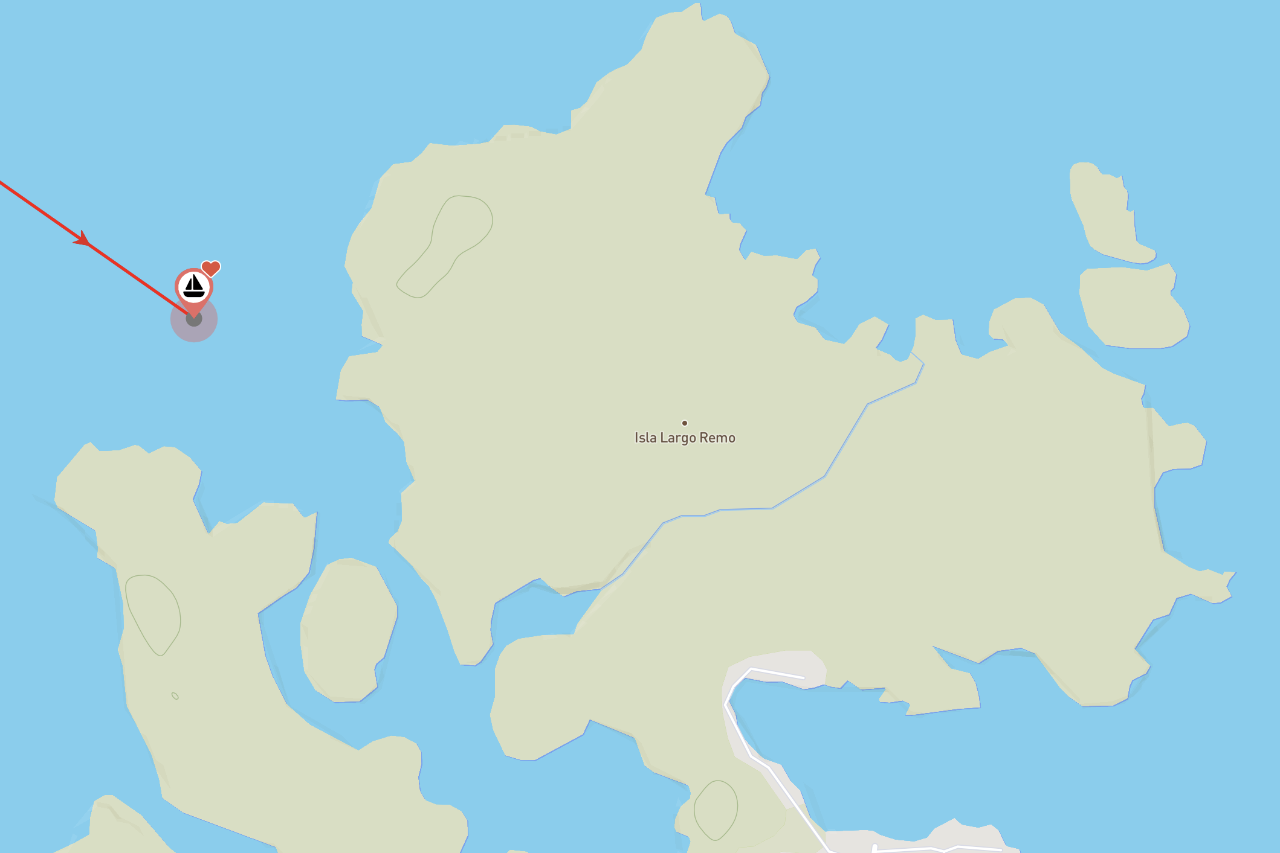
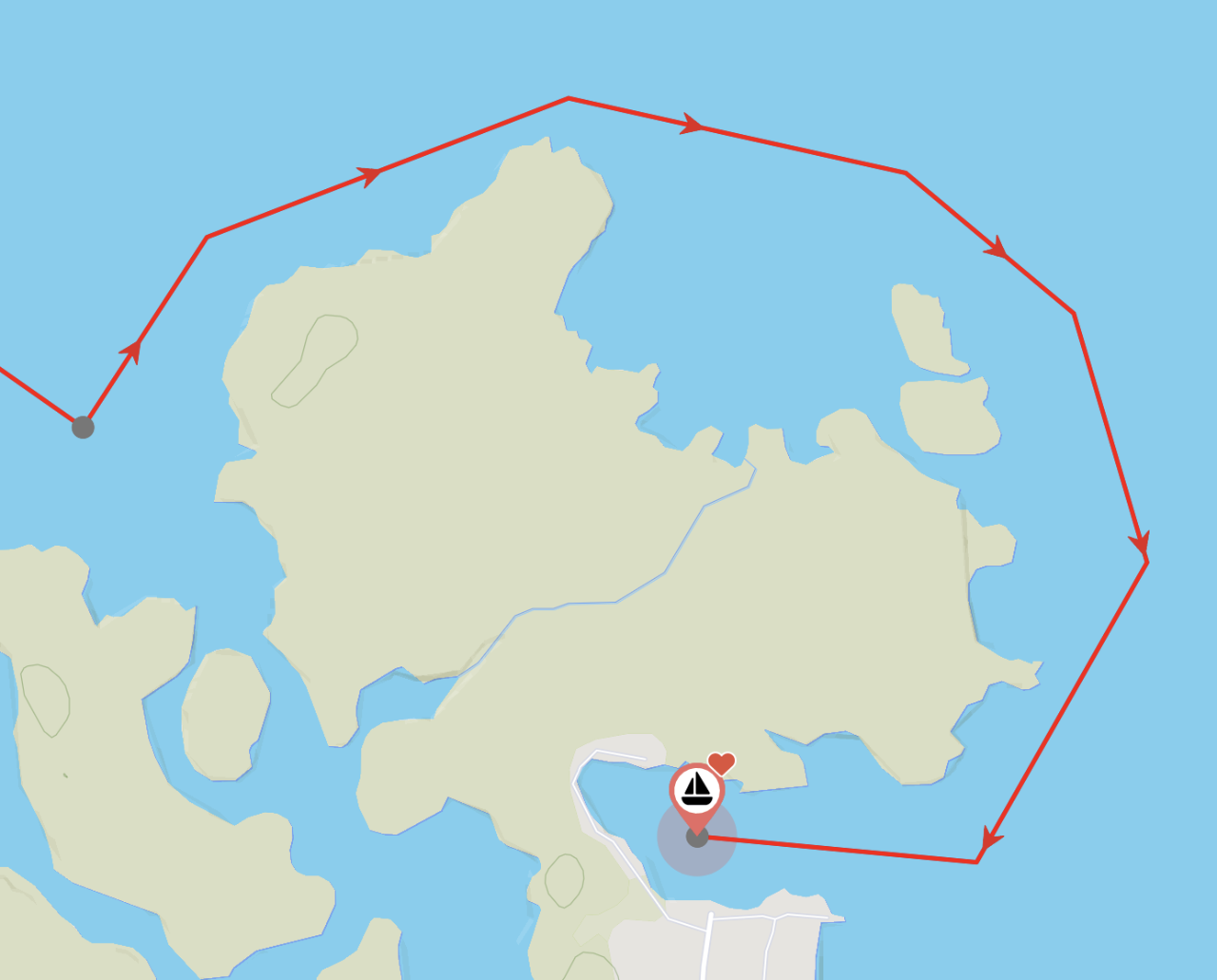
If you zoom in on your track, you will see grey dots representing your position fixes. In this example, we can see two position fixes:
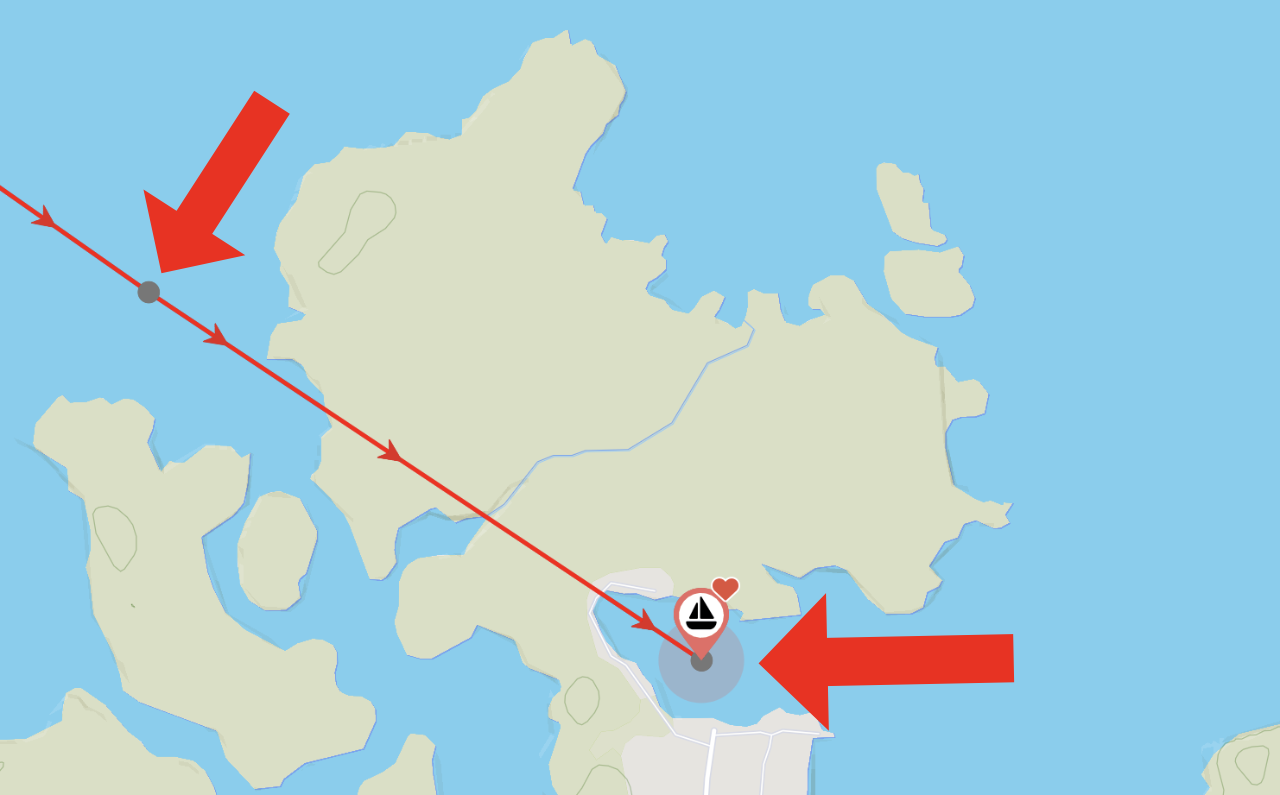
The second fix appears to have been added manually, as there is no detail in the path connecting it — causing the red line to cross the island. This is not an error; it’s a limitation of the data provided. If a GPS track had been submitted, then a detailed path would have been drawn around the island.
Manually editing your track
Section titled “Manually editing your track”For fixes that have no GPS information, or where the GPS data contains errors, you can improve the appearance of your track by manually editing it.
To manually edit a section of track, tap the red line leading to the fix and select Edit path:
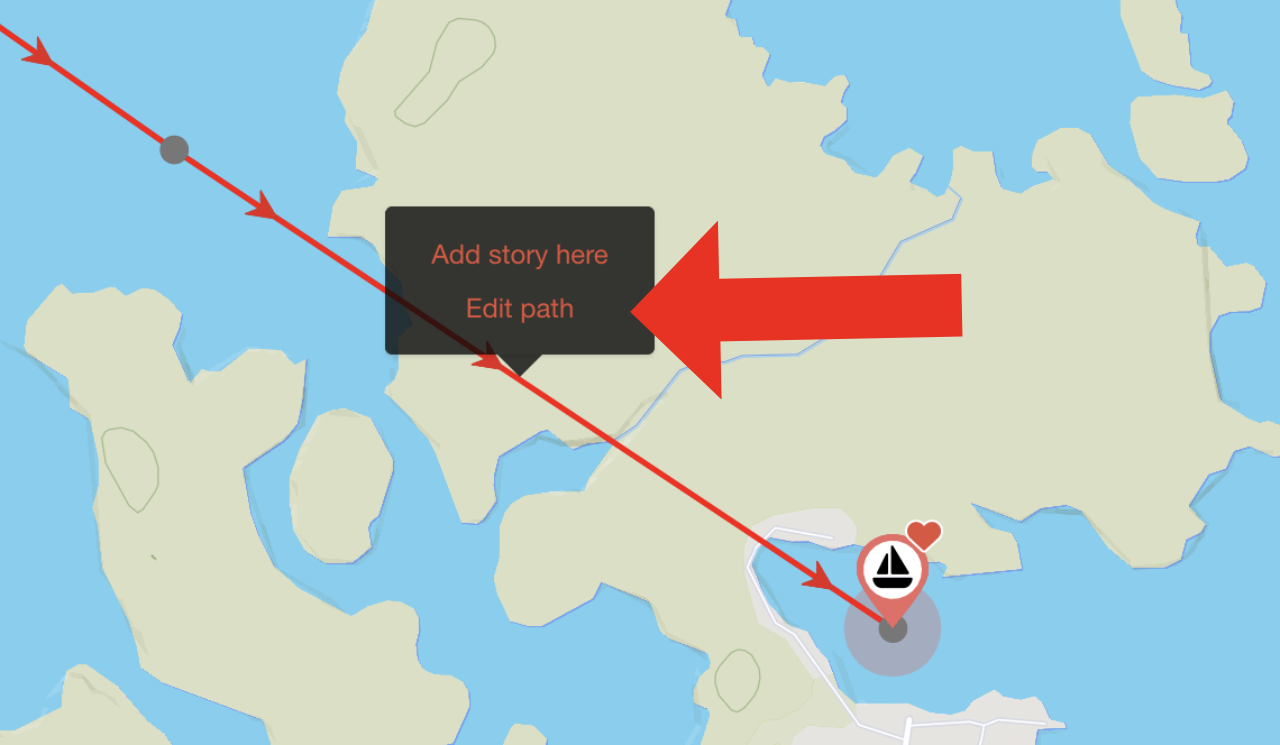
The path will be highlighted, and draggable control handles will be added, allowing you to edit its shape:
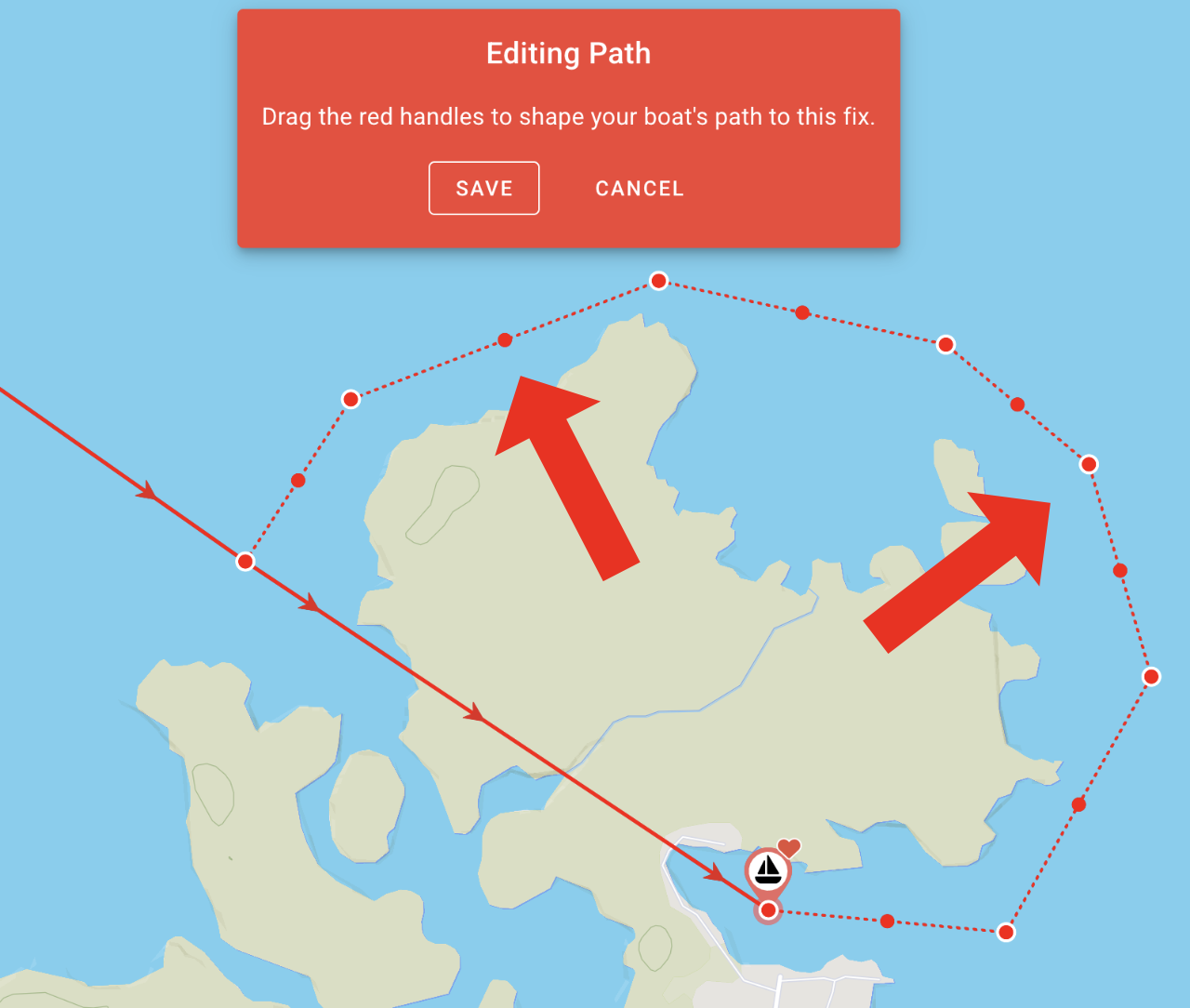
When you are happy with your changes, Save them and the path will be updated:
Further examples are given in this article:
Deleting sections of track
Section titled “Deleting sections of track”If a path contains too many errors — for example, from a large imported GPX archive — it may be easier to delete it and start over.
To delete a fix (and the path leading to it), tap the grey dot and choose Delete fix:
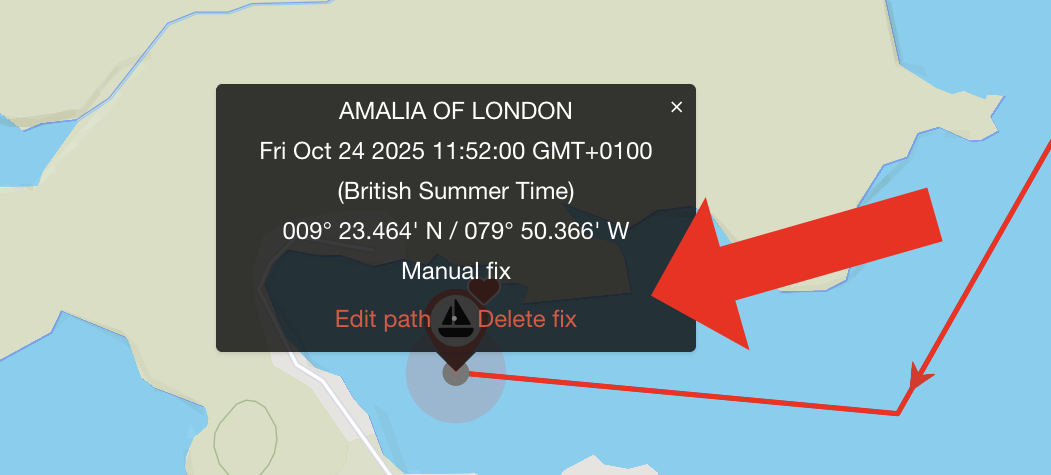
The fix and its path will be deleted: